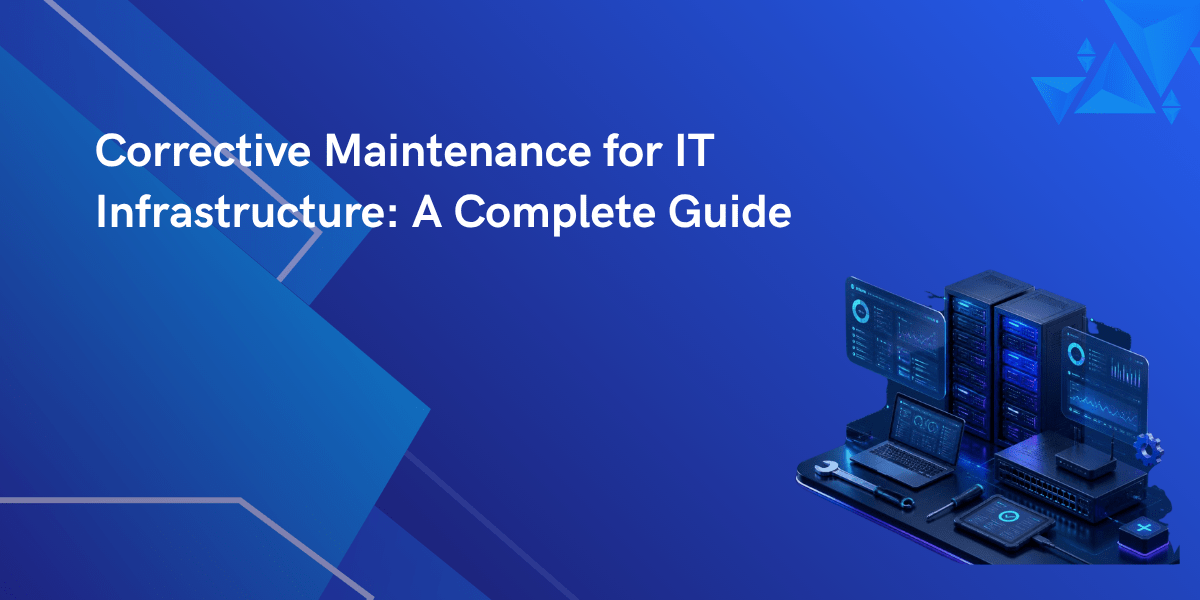
What Is Corrective Maintenance? What happens when a server stops working, a storage system becomes unavailable, or a network switch suddenly fails? Businesses cannot afford long periods of downtime because daily operations depend on reliable IT equipment. This is where corrective maintenance becomes an important part of IT hardware support.
Corrective maintenance is the process of repairing or replacing faulty IT equipment after a problem has been identified. The main goal is to restore the equipment to its normal working condition as quickly as possible. It focuses on fixing existing issues instead of preventing future ones.
This type of maintenance is commonly performed on servers, storage systems, network devices, tape libraries, and other IT hardware used in data centers and business environments.
When carried out correctly, corrective maintenance helps businesses reduce downtime, improve equipment performance, and continue daily operations with minimal interruption.
Why Is Corrective Maintenance Important?
IT hardware works continuously to support business operations. Over time, hardware components can wear out, fail unexpectedly, or experience performance issues. Even well-maintained equipment may require repairs due to unexpected failures.
Without proper corrective maintenance, businesses may experience:
- Unexpected system downtime
- Loss of productivity
- Delayed business operations
- Hardware failures affecting multiple users
- Increased repair costs if problems become more serious
By responding quickly to hardware issues, businesses can restore normal operations and reduce the impact of equipment failures.
The Corrective Maintenance Process
A structured corrective maintenance process helps businesses repair equipment efficiently while reducing delays.
1. Identify the Problem
The first step is recognizing that a problem exists. This may happen when:
- A server stops responding
- Storage devices become inaccessible
- Network equipment loses connectivity
- Hardware reports error messages
- System performance drops unexpectedly
Early detection allows support teams to begin repairs sooner.
2. Diagnose the Cause
Once the issue is identified, technicians inspect the hardware to determine what caused the failure.
This may include:
- Hardware inspection
- Error log analysis
- Diagnostic testing
- Performance checks
- Component verification
Finding the exact cause helps avoid unnecessary repairs.
3. Plan the Repair
After identifying the problem, technicians decide the best repair method.
This may involve:
- Replacing damaged parts
- Repairing faulty components
- Installing compatible replacement hardware
- Updating hardware firmware if required
A proper repair plan reduces unnecessary downtime.
4. Perform the Repair
The faulty hardware is repaired or replaced using suitable parts and approved procedures.
Depending on the issue, repairs may involve:
- Power supply replacement
- Memory replacement
- Hard drive replacement
- Network component replacement
- Controller repairs
- Storage hardware replacement
6. Document the Work
Recording maintenance activities helps businesses maintain service history and plan future maintenance.
Typical records include:
- Date of repair
- Fault description
- Parts replaced
- Technician notes
- Test results
Maintenance records are useful for future troubleshooting and hardware management.
Advantages of Corrective Maintenance
Many businesses rely on corrective maintenance because it restores hardware after unexpected failures and keeps operations running.
Reduces Downtime
Quick repairs allow servers, storage systems, and network equipment to return to service sooner, reducing business interruptions.
Improves Equipment Performance
Replacing damaged components can restore normal hardware performance and improve system stability.
Extends Hardware Life
Repairing faulty parts instead of replacing entire systems allows businesses to continue using existing equipment for a longer period.
Controls Maintenance Costs
Fixing only the affected components is often more cost-effective than purchasing new hardware immediately.
Supports Business Continuity
Working IT infrastructure allows employees to continue accessing applications, files, and business systems with fewer interruptions.
Better Resource Planning
Maintenance records help businesses understand recurring hardware issues and make better decisions about future upgrades or replacements.
Corrective Maintenance Best Practices
Following proven maintenance practices helps businesses receive better results from corrective maintenance.
Respond Quickly to Hardware Issues
Ignoring warning signs may allow small issues to become major hardware failures. Early action reduces repair time.
Keep Maintenance Records
Detailed records make it easier to identify recurring problems and improve future maintenance planning.
Use Compatible Replacement Parts
Installing suitable replacement components helps maintain system stability and hardware performance.
Perform Hardware Testing After Repairs
Every repair should be followed by complete testing before returning equipment to production.
Schedule Regular Hardware Inspections
Although corrective maintenance focuses on existing issues, regular inspections help identify developing problems before they become more serious.
Work with Experienced IT Hardware Specialists
Experienced support teams can identify problems accurately, perform repairs efficiently, and reduce unnecessary downtime.
Corrective Maintenance for Different IT Infrastructure Components
Businesses use corrective maintenance across many types of IT equipment.
Servers
Servers may require repairs due to failed processors, memory modules, power supplies, cooling systems, or storage controllers.
Storage Systems
Storage equipment may experience disk failures, controller faults, connectivity issues, or power-related problems that require immediate attention.
Network Equipment
Routers, switches, firewalls, and other networking hardware may require corrective maintenance after hardware failures or damaged ports.
Tape Libraries
Tape libraries used for backup operations may require repairs to robotic systems, tape drives, controllers, or power components.
Each type of equipment requires proper diagnosis and suitable repair procedures.
Why Do Businesses Trust Agrius IT for Their IT Hardware Support?
Businesses need dependable hardware support when equipment problems affect daily operations. Agrius IT provides professional IT hardware maintenance services for organizations that want reliable support for their data center equipment.
Agrius IT supports a wide range of IT infrastructure, including:
- Servers
- Storage systems
- Network equipment
- Tape libraries
The support team works to identify hardware problems, perform repairs, replace faulty components, and restore systems with minimal disruption.
Businesses choose Agrius IT because it offers:
- Experienced hardware support professionals
- Multi-brand IT hardware maintenance
- Cost-effective maintenance services
- Fast response for hardware issues
- Genuine and compatible replacement parts
- Flexible support options based on business requirements
- Extended support for hardware after the manufacturer’s standard support period ends
With a strong focus on reliable hardware support, Agrius IT helps businesses keep their IT infrastructure operating efficiently while reducing unnecessary replacement costs.
Conclusion
Corrective maintenance is an important part of IT infrastructure management. It focuses on repairing hardware after faults occur, helping businesses restore normal operations, reduce downtime, and improve equipment reliability. A structured repair process, combined with good maintenance practices, allows organizations to keep servers, storage systems, network equipment, and tape libraries running effectively. By working with an experienced IT hardware support provider such as Agrius IT, businesses can receive timely repairs and dependable maintenance services that support long-term IT performance.
FAQs
Corrective maintenance is the repair or replacement of faulty equipment after a problem has been identified to restore normal operation.
Its main purpose is to fix hardware failures, reduce downtime, and return equipment to proper working condition.
Servers, storage systems, network devices, tape libraries, and other IT hardware may require corrective maintenance when faults occur.
Corrective maintenance is performed after a fault occurs, while preventive maintenance is performed regularly to reduce the chance of future failures.
It helps restore business operations, reduces downtime, improves hardware performance, and allows organizations to continue using existing IT equipment efficiently.
Agrius IT provides hardware diagnosis, repairs, replacement of faulty components, multi-brand IT hardware support, and maintenance services for servers, storage systems, network equipment, and tape libraries.